
GBA Emulator - 90s Retro Games
serplabmobArcade
4.71.01K Reviews
- Version
- 1.2.81
- Installs
- 1.00M
- Age Rating
- Everyone
Screenshots
Our Review of GBA Emulator - 90s Retro Games
 Analysis by Appyee
I’m drawn to phone emulators when I want the feel of a handheld game without carrying another device, and GBA Emulator - 90s Retro Games aims squarely at that kind of nostalgia. As an arcade game utility from serplabmob, it puts the focus on playing classic titles on a phone rather than dressing the experience up with extra layers. The appeal is easy to understand: familiar pixel art, quick access to a game, and the option to fit a short session into an ordinary day. My main advice is to think about your own game files and preferred controls before you install it, because those choices shape the experience as much as the emulator itself.
Setting Up the Nostalgia Machine
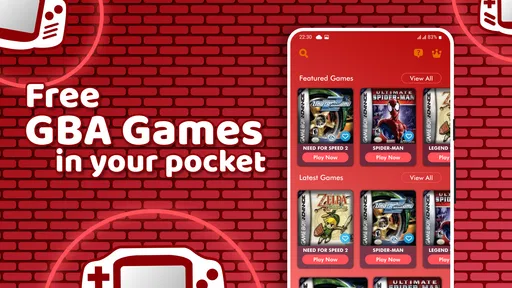
Getting started with the emulator is a breeze. You can find it on both Android and iOS, and the download process is as straightforward as it gets. Honestly, I was up and running in just a few minutes. No fuss, no muss. Once installed, you’re greeted with a minimalist interface that’s easy on the eyes and user-friendly. It’s like the app knows we’re here for the games, not a complicated setup.
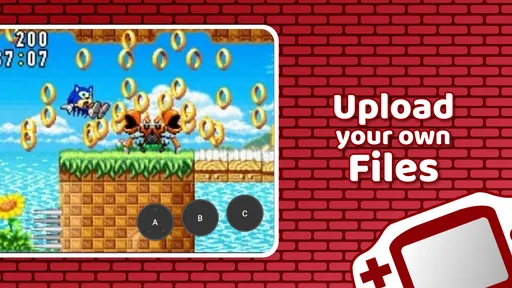
One thing to keep in mind, though, is that you’ll need to source your own ROMs. The emulator doesn’t come pre-loaded with games. Make sure you understand the rules that apply where you live and only use game files you’re entitled to use; owning a physical copy does not automatically settle every legal question about making or downloading a ROM. Before building a large library, try one compatible file first. That simple check helps you distinguish a file-format issue from a problem with a particular game, and saves time if you’re still deciding whether the app fits your routine.
Gameplay Experience
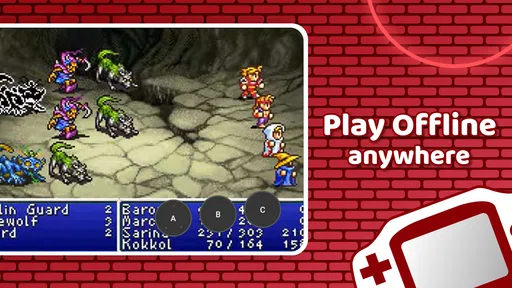
Once you’ve got your favorite games loaded, it’s time to dive in. The emulator delivers a solid performance with smooth gameplay and no noticeable lag. I fired up some classics like Pokémon Emerald and Super Mario Advance, and it felt like I was back in the early 2000s. The graphics are crisp, and the colors pop, capturing that retro vibe perfectly.
The visual character is part of the appeal: compact sprites and bold color blocks are easy to recognize at a glance, even when I’m playing in short bursts. On a phone, though, the screen is also where the old handheld format meets modern hardware. Touch controls share space with the action, so a crowded layout can make precise platforming or fast menu selection less comfortable than it was with physical buttons. I’d treat screen orientation and button placement as practical decisions, not cosmetic tweaks: set them before a long session, then change one thing at a time if a game feels awkward.
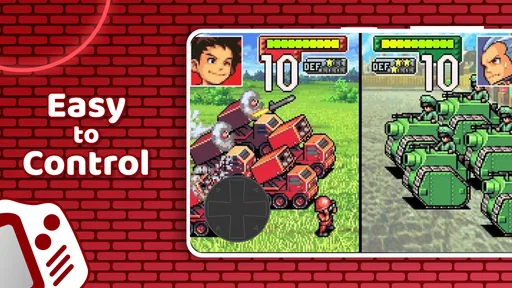
The app also supports customizable controls, which is a huge plus. You can adjust the button layout to suit your play style, and there’s even support for external controllers if you want that authentic handheld experience. I paired my Bluetooth controller, and it worked like a charm. It’s those little touches that make all the difference.
Features That Make It Shine
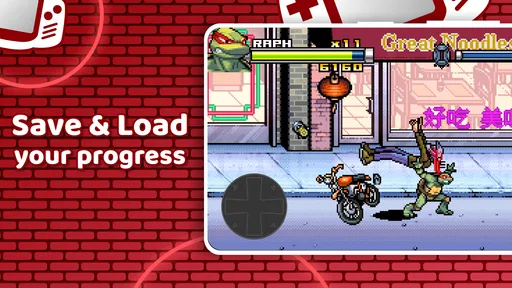
Now, let’s talk features. The emulator comes packed with a bunch of nifty options that enhance the gaming experience. First up, save states. Remember how you used to have to wait for a save point? Not anymore. You can save your progress anywhere, anytime. This is a lifesaver for those tricky levels where one wrong move can send you back to the start.
Save states are most useful when I treat them as checkpoints rather than replacements for a game’s own save system. Before experimenting with a risky move or putting my phone away, I can make a quick state; for longer play, I still prefer to use the title’s regular save options where available. Keeping a few clearly understood stopping points is also more useful than saving repeatedly without remembering which state contains the progress I want. That small habit reduces the chance of loading an older moment by mistake.
There’s also a fast-forward feature, which is perfect for speeding through those grind-heavy sections of RPGs. I used it liberally while leveling up my Pokémon, and it saved me a ton of time. Plus, the app supports cheat codes, so if you’re feeling a bit cheeky, you can give yourself a little boost.
Fast-forward is a trade-off rather than a universal improvement. It can make repetitive battles or familiar stretches less tedious, but it also makes it easier to miss dialogue, timing cues, or a detail that matters in a new area. I save it for sections I already understand, then return to normal speed when exploration or careful timing is the point. Cheat codes offer a different kind of flexibility, but they can change the intended challenge, so I’d keep a clean save before trying them if I care about continuing a playthrough normally.
Room for Improvement?
Of course, no app is without its quirks. While the emulator generally runs smoothly, I did encounter the occasional crash. It wasn’t frequent enough to be a deal-breaker, but it’s something to be aware of. Also, the app contains ads, which can be a bit intrusive. They’re not overwhelming, but they do pop up at inopportune moments sometimes. Fortunately, there’s an option to remove them with a small in-app purchase.
That makes session planning worthwhile. If I’m about to start a section where interruptions would be especially annoying, I make a save first rather than assuming I’ll have a clean stopping point later. The game itself may be designed for a handheld, pick-up-and-play rhythm, but an ad or crash can break that flow. For a casual replay, that is tolerable; for someone who wants a completely uninterrupted, dependable setup for a long campaign, it is a real drawback to weigh against the convenience.
Another thing I’d love to see is cloud save support. Being able to sync my game progress across devices would be a fantastic addition. Hopefully, this is something the developers will consider in future updates.
Without relying on cloud syncing, I’d avoid assuming that a save will automatically follow me to another phone. If I’m investing serious time in a game, I make a point of understanding where its progress is stored and keeping my play on one device unless I know how to move it safely. That is less convenient than seamless continuity, but it is a sensible way to avoid losing a run. It also means this is a better fit for a personal device than for someone who frequently switches between phones or expects a shared, synchronized library.
Choosing It for the Way You Play
The most natural use case is a short break with a game that benefits from quick access: a few stages while waiting, a familiar RPG stretch during a quiet evening, or a relaxed replay when I have time to focus on a proper story. A phone makes that easy because it is already with me. Still, touch controls and interruptions matter more when I’m playing on a crowded commute or in a setting where I need to stop suddenly. For those moments, I’d choose a game that is forgiving of pauses rather than one that demands a long, uninterrupted attempt.
Compared with a dedicated handheld, a phone emulator wins on convenience and loses on the feel of physical buttons unless I connect a controller. Compared with a typical mobile arcade game, it offers a different attraction: the pacing and presentation come from the classic games you bring to it, not from a new phone-first design. That distinction is important. If you want a ready-made collection you can open immediately, this is not the simplest route; if you already have legally usable game files and value flexible controls, it can be more appealing than starting from scratch with a new mobile title.
I’d recommend it most to players who already know what they want to revisit and are comfortable organizing their own files. Someone trying emulation for the first time may find that preparation less satisfying than installing a game that includes its own content. Likewise, players who prize a polished, interruption-free experience or automatic progress across devices may be happier with a dedicated handheld or a conventional mobile game. The emulator’s strengths are practical access and familiar play, not eliminating every inconvenience that comes with running older games on a phone.
A Mood Built Around the Games
What gives the experience its character is the contrast between old-school presentation and a modern pocket screen. The games’ pixel art and concise visual language can make a familiar world feel instantly readable, while the phone keeps the session close at hand. Sound matters too, especially in games where music and effects help establish a place or signal an action, but the app’s value is not that it transforms those elements; it gives you a way to revisit them. I’d use headphones when I want to settle into a story, and keep the volume low or off when I’m playing casually around other people.
The mood also depends on pacing. A quick platforming level can suit a spare few minutes, while a role-playing game asks for more attention even if fast-forward helps with repetitive stretches. I find that choosing the game to match the time available works better than expecting the emulator to make every classic equally convenient. A save state can create a useful pause point, but it cannot make a complicated plot or a demanding sequence feel right when I’m distracted. That is a small distinction, yet it is what separates a satisfying pocket replay from a session that feels constantly interrupted.
The Final Verdict
So, is the GBA Emulator - 90s Retro Games worth your time? Absolutely. It’s a fantastic way to revisit your favorite childhood games with modern conveniences like save states and customizable controls. The app is easy to use, performs well, and brings those retro games back to life on your smartphone.
There is a broad audience for the idea: the game has an Everyone age rating, is free to install, and has earned a 4.8 average from around 32 thousand ratings, with more than a million installs. Its current version is 1.2.72, and it runs on Android 7.0 or later; optional in-app purchases range from $1.99 to $29.99 per item. Those details make it easy to try, but the purchase options do not change the main practical question: whether you have game files you can use and whether phone controls suit the titles you want to play. I’d judge it on that fit rather than on its popularity alone.
If you’re a fan of classic gaming and want to carry a piece of that nostalgia in your pocket, this emulator is definitely worth checking out. Just be prepared to lose a few hours to the addictive charm of those old-school titles. But hey, who’s complaining? Happy gaming!
Verdict
Strengths of GBA Emulator - 90s Retro Games
- Supports multiple ROM formats.
- Customizable on-screen controls.
- Save and load game states easily.
- High compatibility with GBA titles.
- Fast forward feature for quick play.
Limitations of GBA Emulator - 90s Retro Games
- Contains intrusive ads.
- No multiplayer support.
- Limited customization options.
- Occasional crashes reported.
- Requires external ROMs to play.
Similar Picks in This Category
View All
Subway Surfers
SYBO Games4.6

Stickman Party 234 MiniGames
PlayMax Game Studio4.6

Subway Princess Runner
Ivy4.4

Temple Run
Imangi Studios4.2

Zombie Tsunami
Mobigame SAS4.6

Stack Ball - Crash Platforms
CASUAL AZUR GAMES4.5
Frequently Asked Questions
What is GBA Emulator - 90s Retro Games?
GBA Emulator - 90s Retro Games is an application that allows users to play classic Game Boy Advance games on their Android or iOS devices. It emulates the GBA gaming experience, providing features like save states, customizable controls, and enhanced graphics options. Whether you're revisiting favorites or exploring new titles, this app brings the nostalgia of retro gaming right to your phone.
How do I install games on GBA Emulator?
To install games on GBA Emulator, you need to have game ROM files, which are digital copies of the original game cartridges. These can be downloaded from various websites, but ensure you have the legal right to use them. Once you have the ROM files, you can load them into the emulator app by navigating to the file location within the app's interface.
Is GBA Emulator legal to use?
Using an emulator like GBA Emulator itself is legal. However, downloading ROMs of games you do not own is illegal in many regions. It's important to own a physical copy of the game if you are downloading a ROM. Always check your local laws and regulations regarding emulation and ROMs to ensure compliance.
What features does GBA Emulator offer?
GBA Emulator offers a range of features to enhance your gaming experience, including customizable on-screen controls, save and load states, fast forward, and support for external controllers. Additionally, it provides high-quality rendering options to improve the visual quality of the games, making them look great on modern devices.
Are there any in-app purchases or ads in GBA Emulator?
GBA Emulator may contain ads and in-app purchases. The ads are typically non-intrusive, allowing you to enjoy your gaming without significant interruptions. In-app purchases might be available to remove ads or unlock additional features. Check the app's store page for specific details on the pricing and options available.
Play our best games!


